I've realised that the expression problem applies to docs just as much as code.
E.g. for a PL, do you organise syntax highlighting docs with all editors together, or do you have a separate page for all relevant plugins of a single editor?
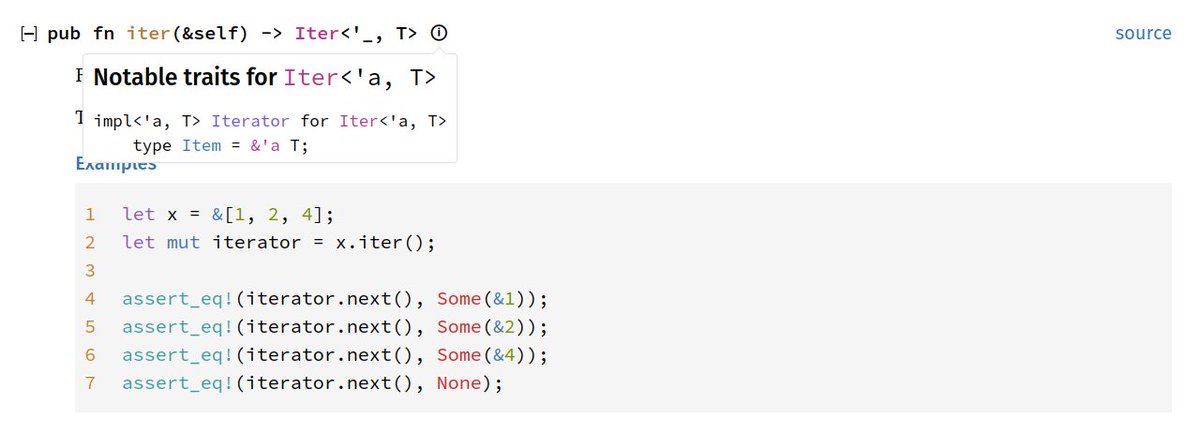
TIL that Rust has a (i) icon that shows relevant traits that a type implements. This is useful to understand that e.g. .iter() on a Vec<T> iterates with &T.
https://doc.rust-lang.org/std/vec/struct.Vec.html#method.iter
It looks like one of my bug reports was mentioned, so I'm delighted but wish I'd noticed earlier!
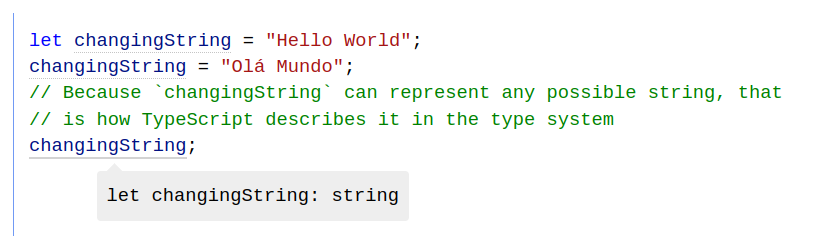
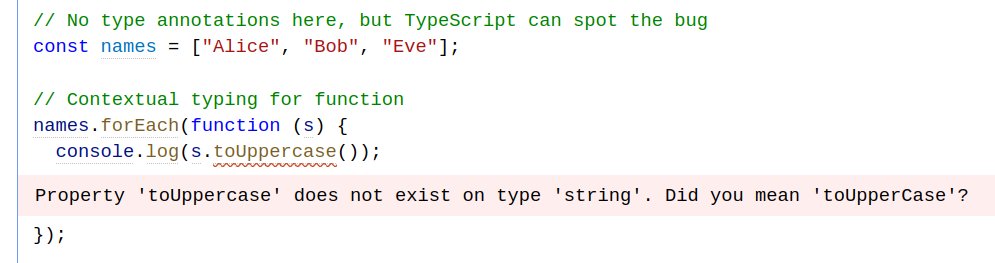
The TypeScript docs have IDE-like hover types on all the examples, which is really impressive.
I also like how the second example always shows the type of the relevant part, regardless of mouse position. It's clear and mobile friendly.
Screenshot from https://www.typescriptlang.org/docs/handbook/2/everyday-types.html#literal-types